
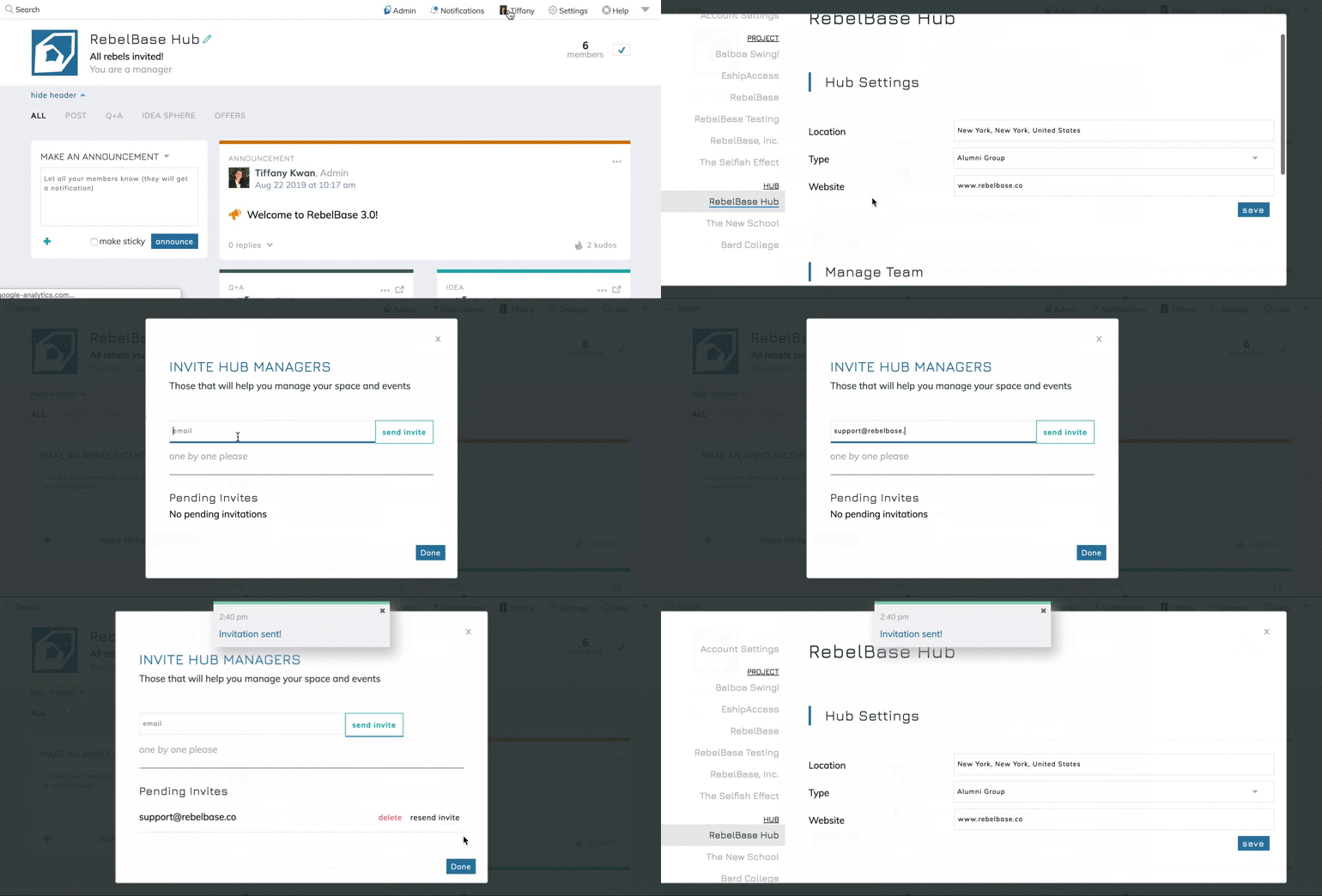
To invite Hub managers after your Hub is already set up, open your settings. On the left-hand side of the settings window, you’ll find your Hub listed.
Click on the Hub to which you want to add managers, and scroll all the way to the bottom of the window that appears. You’ll find a link, “To add a hub admin, click here.” at the bottom-right corner of the window. Click on this link and use the window that pops up to invite managers.