
At last, your hub is all set up! Now you can really get to know it. Your hub consists of 5 key features: Hub side menu, Activities, Brain, Events, and Members.
Side Menu
The side menu allows any Hub admin to quickly access any of the key features.
You can find this menu by clicking your hub’s name on the home menu.
Activities
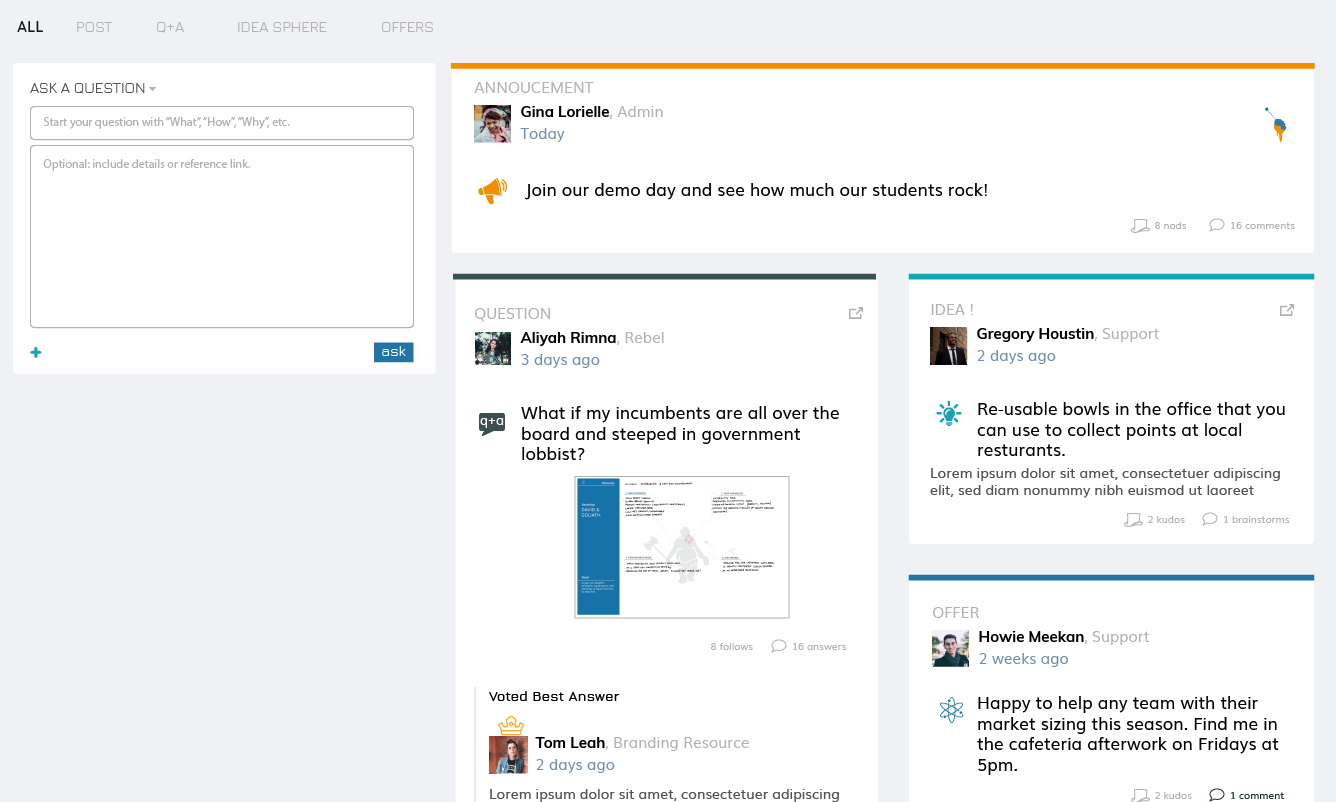
Activities is a space for your members to interact. Here, members and admins can type what they choose to and send it out to the group. Members and admins can use different types of communication, including announcements, posts, questions, ideas, and offers. To switch between the different types, use the dropdown button on the header of the post and select the type you want to make.
Posts are for general interactions and messages.
Announcements are reserved for admins only and used to notify the whole community of something specific. For example, use it to announce an event kick off or to remind cohorts to submit by a certain deadline. Admins can choose to make their announcement sticky and it will stick to the top of the activities board.
Offers are used when members want to tell others that they have a resource to offer the entire hub. For example, Albie from the finance department could add an offer to take a look at the project’s financial models who would like to work with him.
Q+A’s allow members to ask their burning questions and for helpful members to share their knowledge in return. Members have three days to upvote the best answer, after which the crowd-favorite is chosen and gets bumped to the top. But beware, a best answer spot can still be overthrown if an another answer gets more upvotes later on...
Ideas give members a way to gain feedback and validation on an idea they aren’t quite sure about — which is pretty much every idea when starting something new. In this space, they can brainstorm to improve the idea, ask questions to clarify and poke holes, or offer a contribution to work with them on the idea.
Brain
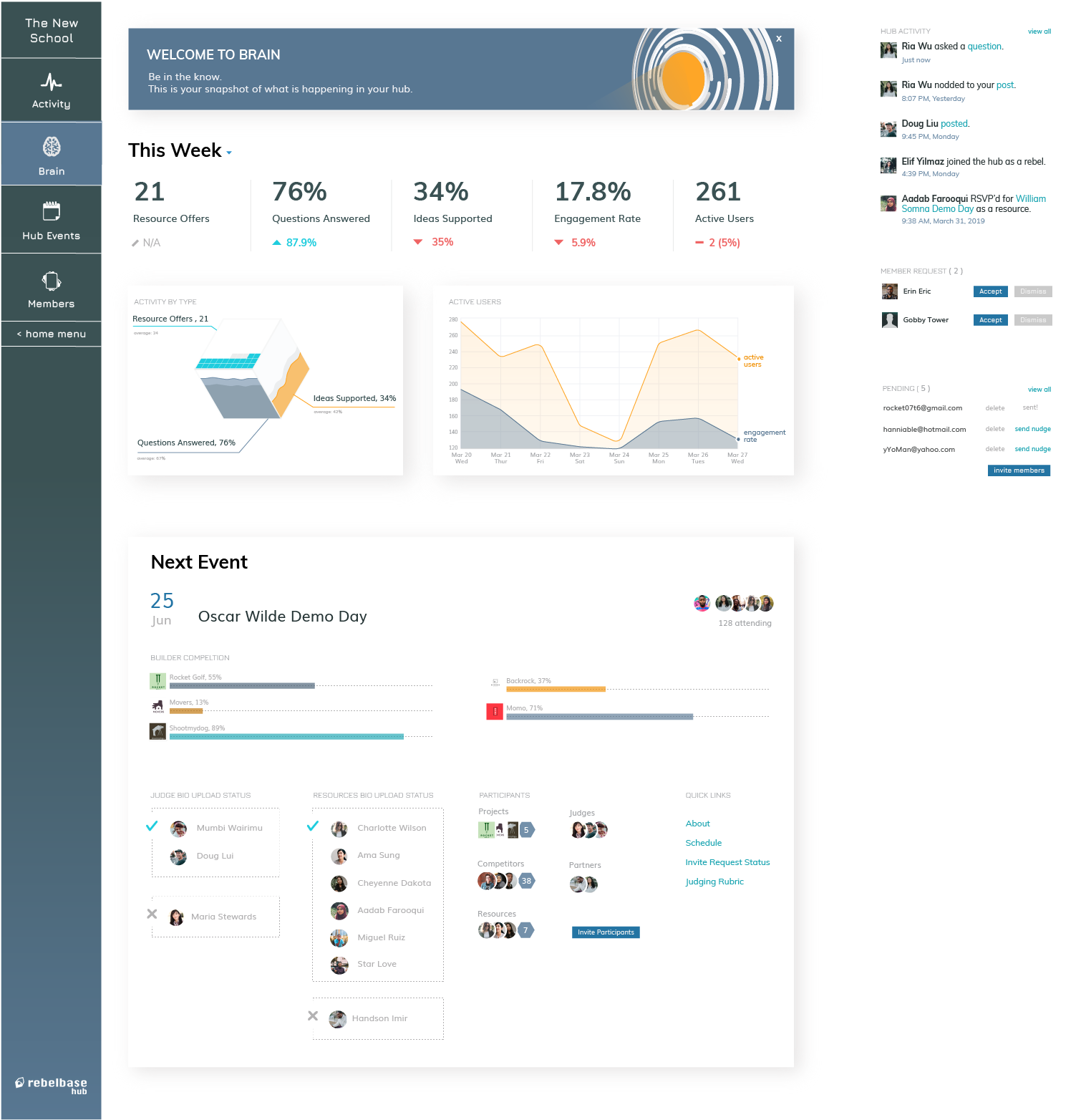
Look out — coming soon! The brain is where you can get a birds eye view of your hub. You’ll be able to seamlessly manage your pending invites and send them again, monitor your community’s engagement, and get tips on how to steer your hub on the right direction.
You’ll also easily be able to keep an eye on your events. Track if your competing teams’ are making progress towards necessary deadlines, if your judges are on boarded, and if there is anything you need to note.
Events

In the world of innovation, there are many reasons to host an event. Use this feature to plan competitions (both online and offline), assess class projects, host general meetups, and organize accelerator selection.
Events allow you to:
- Invite Participants to compete and be evaluated
- Host Judges and Sponsors that will contribute to the Event
- Connect your Hub’s members to sponsors, advisors, and other resources
Members
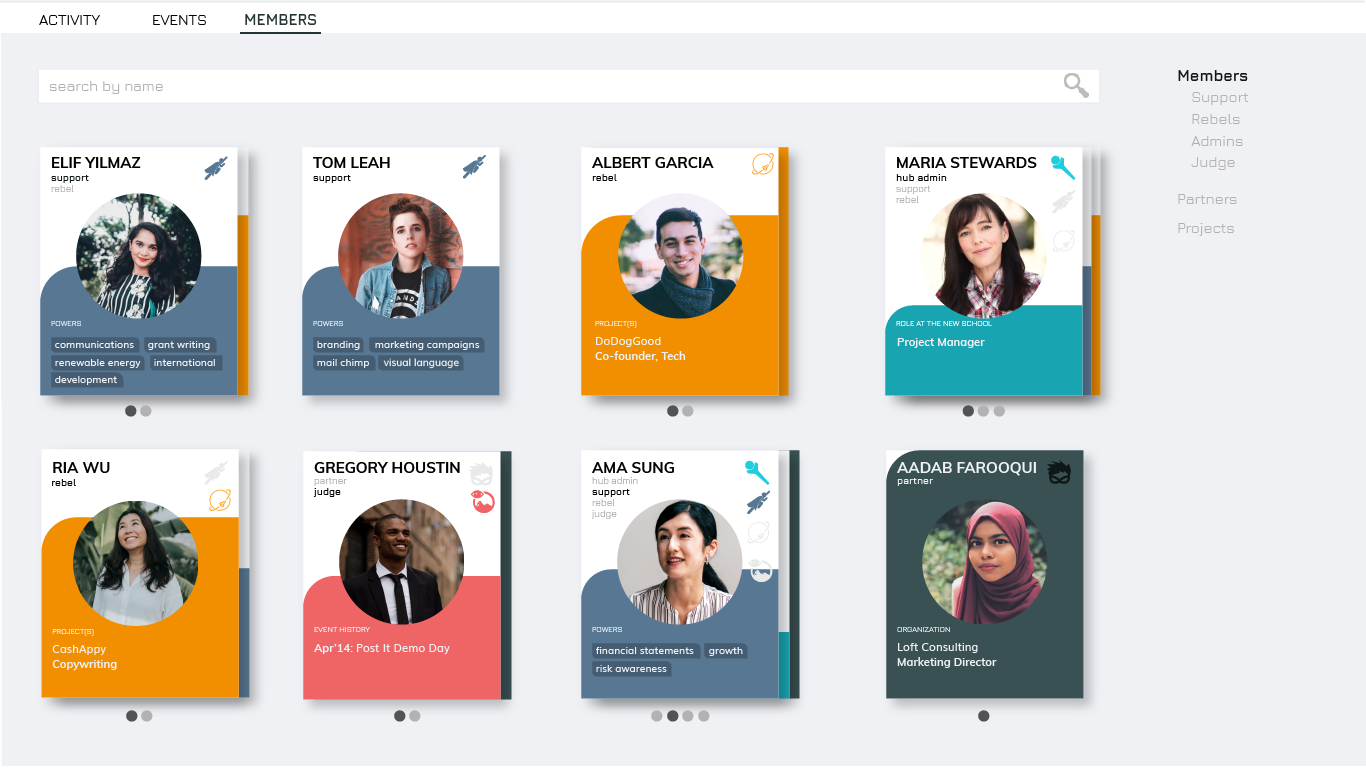
When you click on “Members” you’ll be able to scroll through and/or search for members of your Hub. Each member has their own card that displays key info at a glance. You’ll be able to see what role the member plays within the Hub (such as Rebel, ResourceSupport, or Admin) as well as what skills and areas of expertise each member holds. As your ecosystem grows, this page becomes crucial, acting as a rich and organized directory where a member can search for exactly the kind of connection she is seeking. Filtering by projects/partnerships and searching by keywords and skills are coming soon.
Invite Members next >